Welcome to ZPUI documentation!
ZPUI (ZeroPhone UI, pronounced zippy ui) is a powerful user interface and app framework you can use for Linux gadets with small screens. It’s usable on a wide variety of single-board computers, servers, and PCs, originally designed for the ZeroPhone project. ZPUI only requires a small screen, monochrome or color, starting from 128x64 OLED screens, as well as some buttons - starting from 5 buttons and up to an entire QWERTY keyboard.
Capabilities
What does ZPUI give you?
Small physical interface for your small Linux computer management, at your fingertips
Safe shutdowns, unmounts, service restarts, password resets, and more
Connecting to WiFi, including password input with 5 buttons; setting WiFi country
Seeing your board’s IP address, debugging network issues, connecting to Tailscale, enabling/disabling SSH, network debugging and scanning
Ability to quickly write your own ZPUI apps in Python, with tutorials and documentation, with a ZPUI emulator for development use
Running arbitrary scripts and general debugging
Basic control over media (volume and media player control)
Hardware tinkering and debugging apps
An updater and notifier to receive the latest ZPUI features as soon as they’re out
…and much more.
ZPUI is great for:
Controlling a server Raspberry Pi on a shelf - especially when it malfunctions
An in-place control panel for a task-tailored Pi, from a 3D printer controllers and CCTV cameras, to routers and PiHole installations
A base for building your own custom devices with a simple yet powerful UI
Figuring out how to log into a random SBC you use for tinkering
A rescue interface for full-sized PC configured as a NAS, or even
A primary interface for a pocket computer you carry around as a Linux terminal.
Hardware
Currently stock-supported devices and screen&button shields:
Beepy, Colorberry, Blepis handhelds
Snowdive, in both standalone and palmtop configurations
ZPUI businesscard (both Pi GPIO and QWIIC)
WaveShare 1.3” 240x240 LCD HAT
WaveShare 1.3” 128x64 OLED HAT (untested but should work)
OG ZeroPhone
Other device support can be added relatively trivially, too.
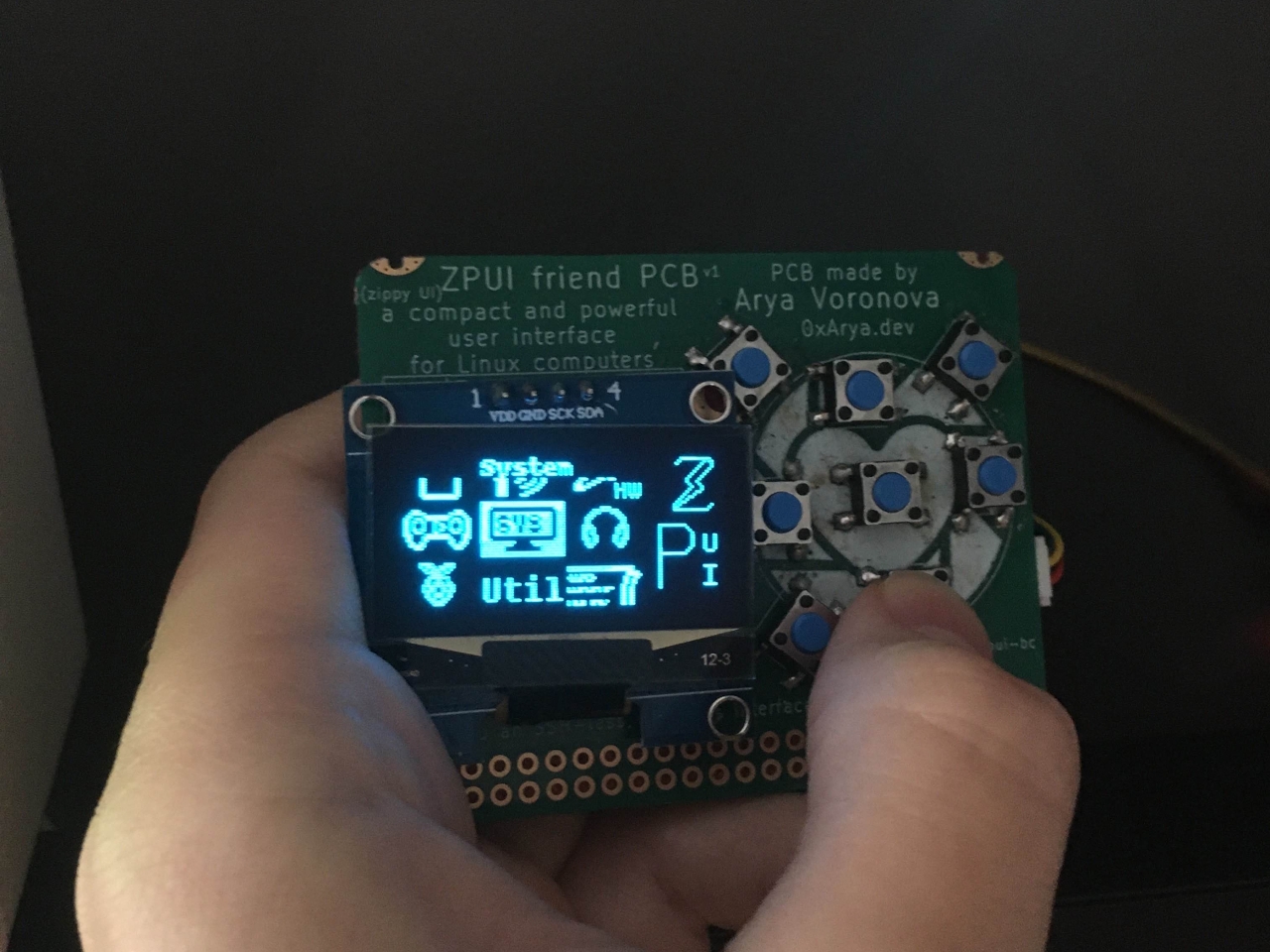
ZPUI businesscard with a 128x64 OLED, useful for on-the-fly debugging - only requires a spare QWIIC connector.
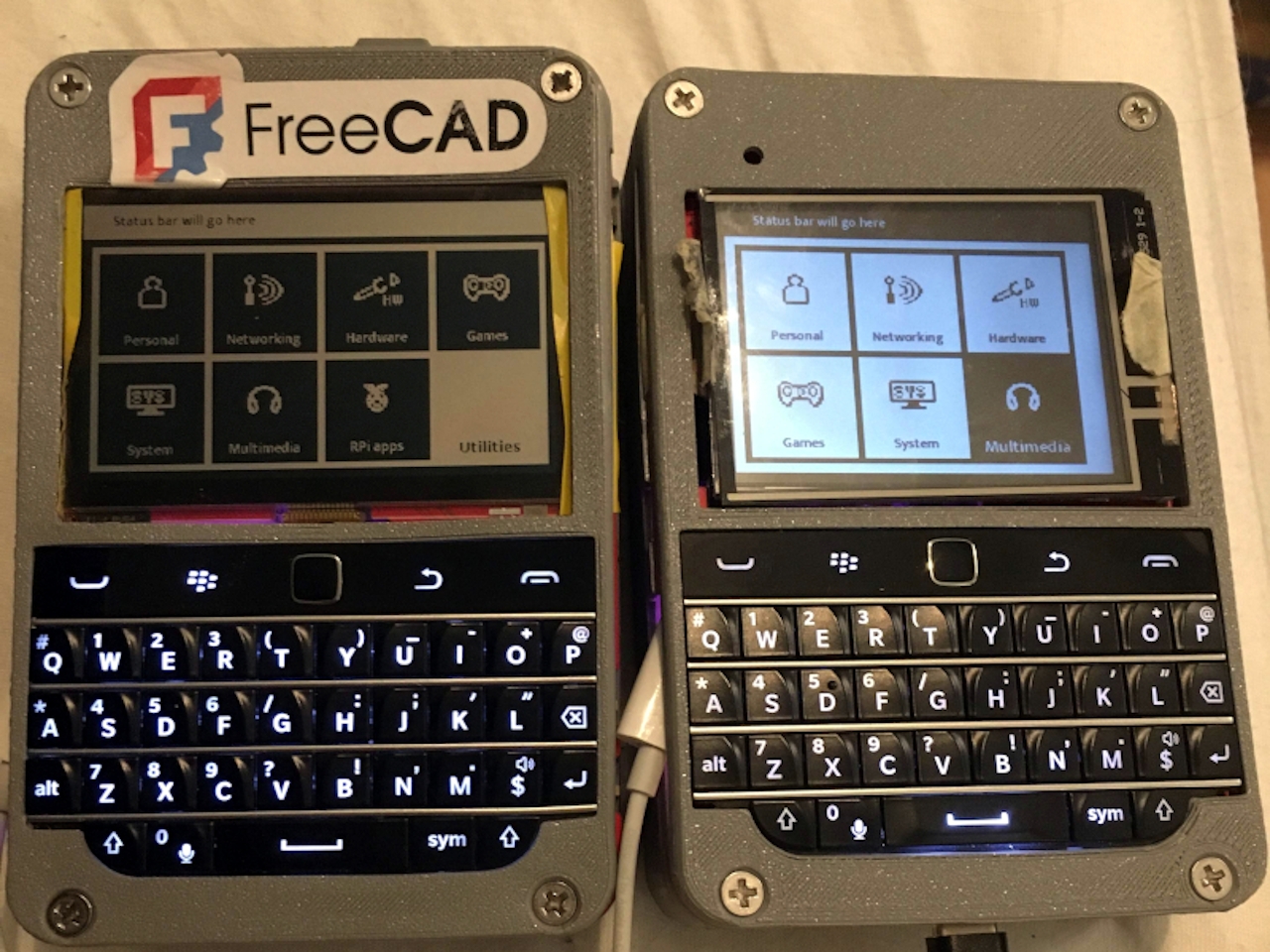
ZPUI on two Blepis PDAs, one with a Sharp Memory 400x240 LCD, and another with a 320x240 color LCD with backlight
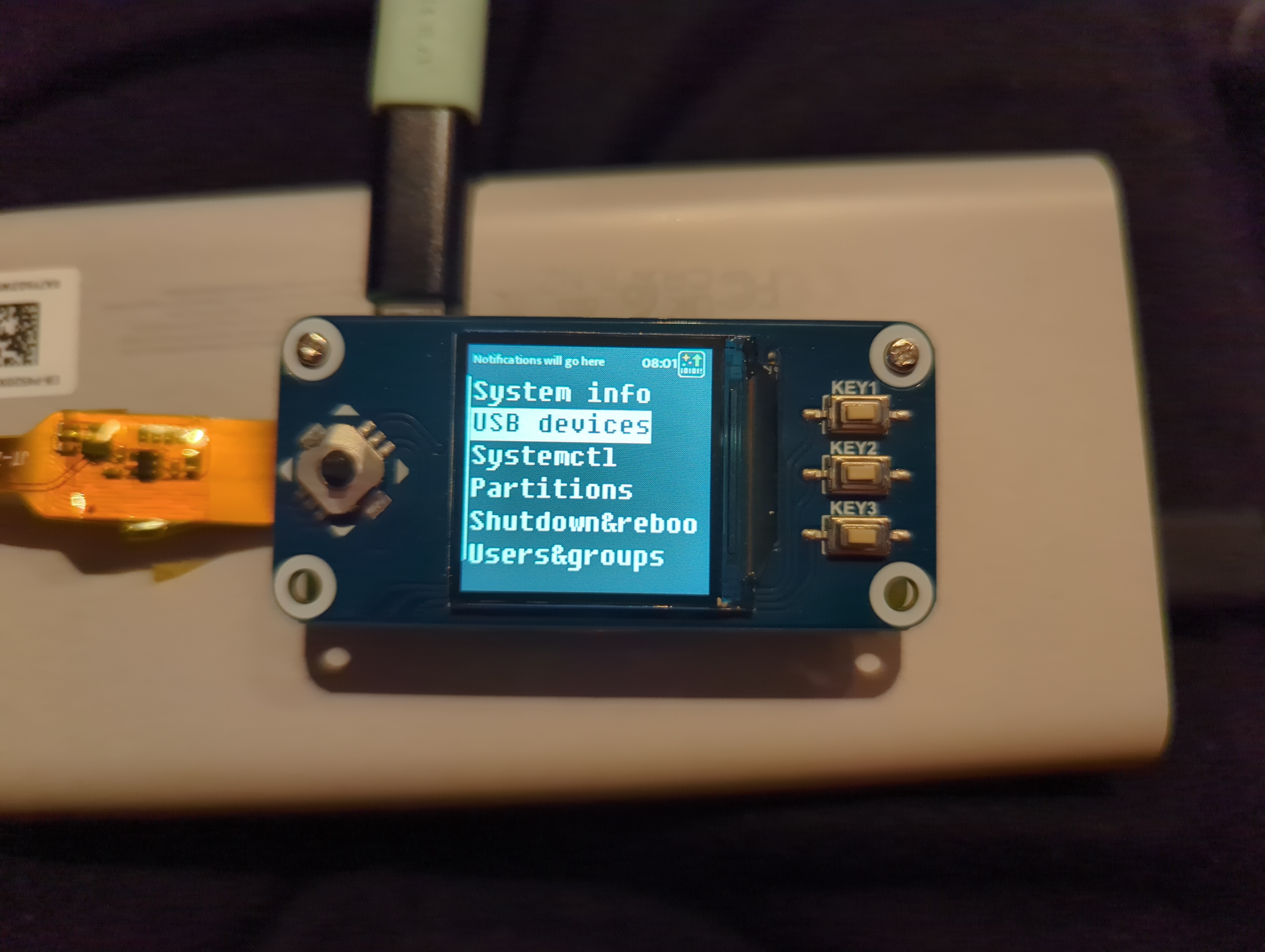
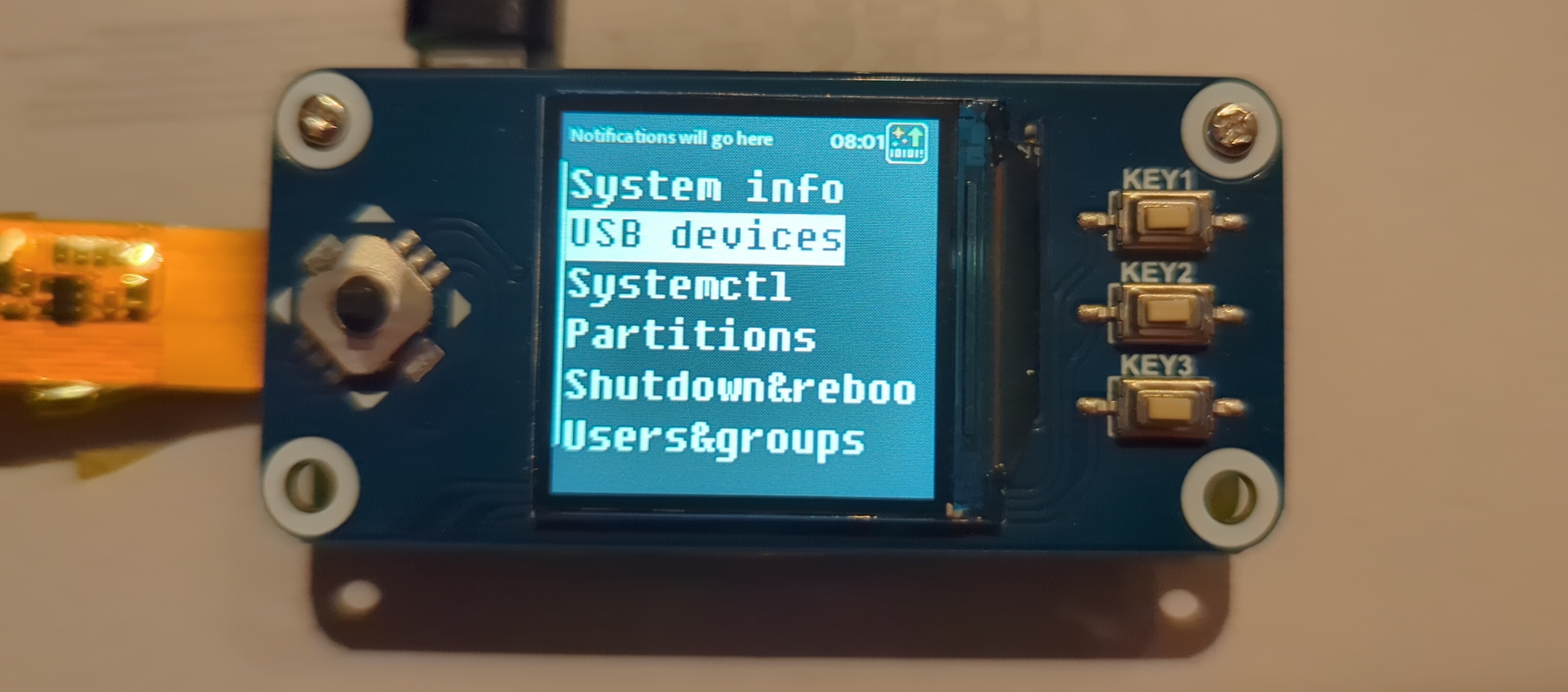
ZPUI on the WaveShare 1.3” 240x240 LCD HAT
Other device support is easy enough - most of the time, you’ll only need to edit a config file.
Minimum requirements:
monochrome/color screen, 128x64 or larger. For instance, one of:
128x64 OLED (common)
320x240 color LCD screen
400x240 Sharp monochrome or JDI color screen
5 buttons (up/down/left/right/enter), with support for QWERTY keyboards. For instance, one (or multiple) of:
Pi GPIO buttons
Pi GPIO matrix button
I2C/SPI GPIO expander-connected buttons
HID device (USB, I2C, emulated etc.)
ZPUI is based on pyLCI, a general-purpose UI for embedded devices, an interface that supports 16x2 and larger character displays. Currently. ZPUI is tailored for Blepis and ZPUI businesscard hardware, but expanding into other form-factors and usecases, and the documentation is being improved along with the effort.
Credits:


ZPUI development is funded through the NGI0 Core Fund, a fund established by NLnet with financial support from the European Commission’s Next Generation Internet programme, under the aegis of DG Communications Networks, Content and Technology under grant agreement No 101092990.